
Publish a ride on the marketplace
Droovi does not give you rides. The marketplace is for sharing your own rides with your network: the subcontractors connected to your company.
When you have too many rides or no free vehicle, you publish the ride on your private marketplace with the price you offer. Only your subcontractors see it, and the first one to accept it does the ride.
1. From the CRM
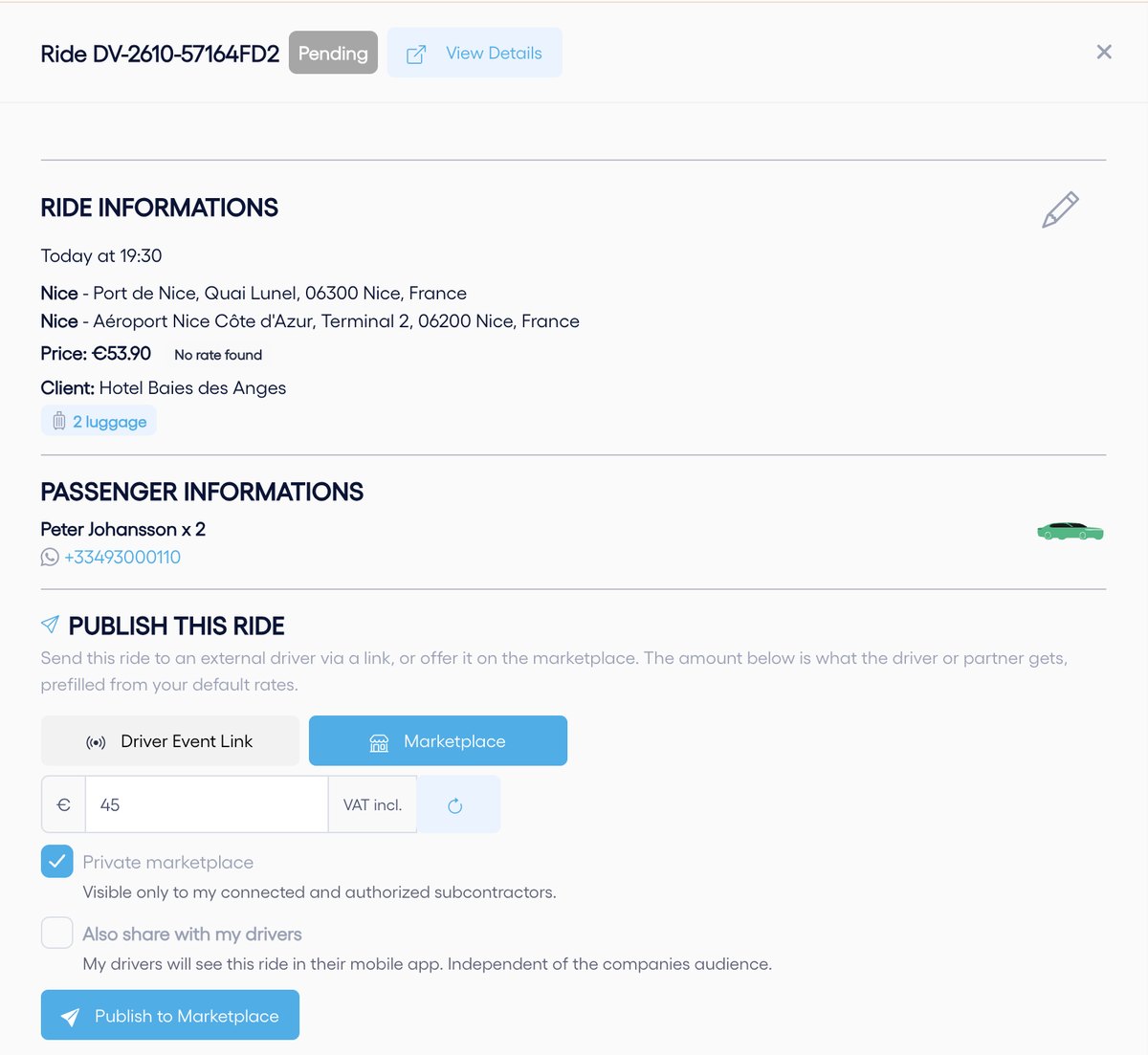
- Open the ride from Transfers and scroll down to "Publish this ride".
- Choose the "Marketplace" tab and enter the price, VAT included, that the subcontractor will get. It is prefilled from your subcontracting rates; the button on the right recalculates it.
- Keep "Private marketplace" ticked. Tick "Also share with my drivers" if your own drivers may take it too.
- Click "Publish to Marketplace".
2. From the mobile app
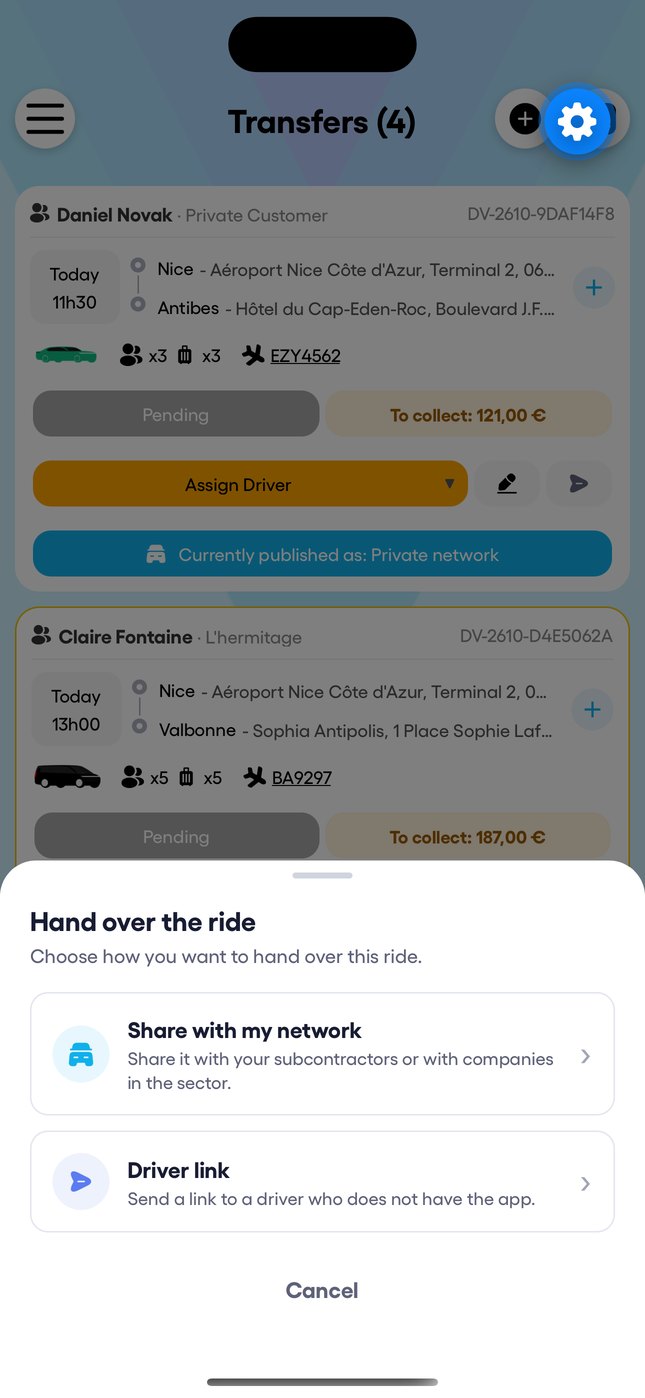
- In "Transfers", tap "Hand over the ride" under the ride.
- Choose "Share with my network".
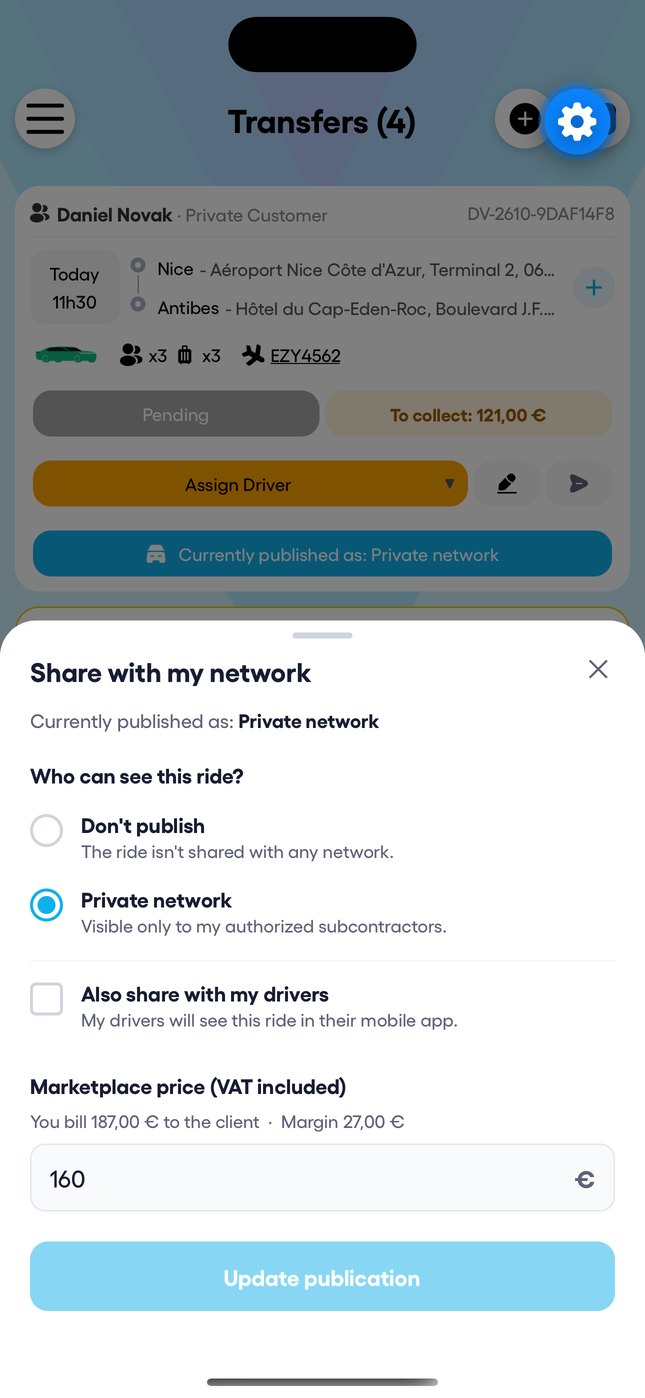
- Select "Private network" and enter the price: the app shows what you bill the client and your margin.
- Confirm to share it.
3. On the subcontractor's side
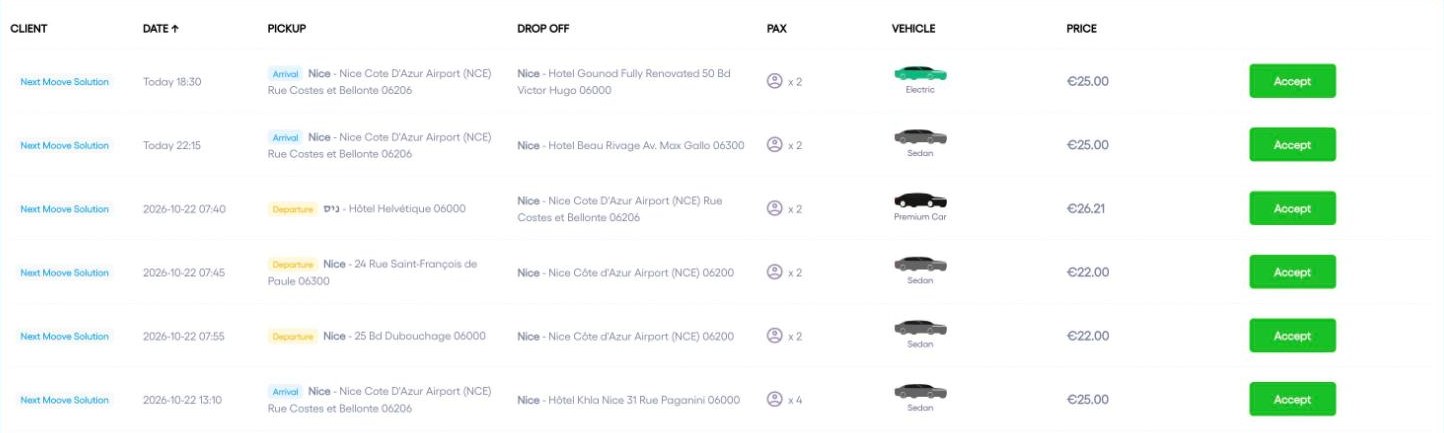
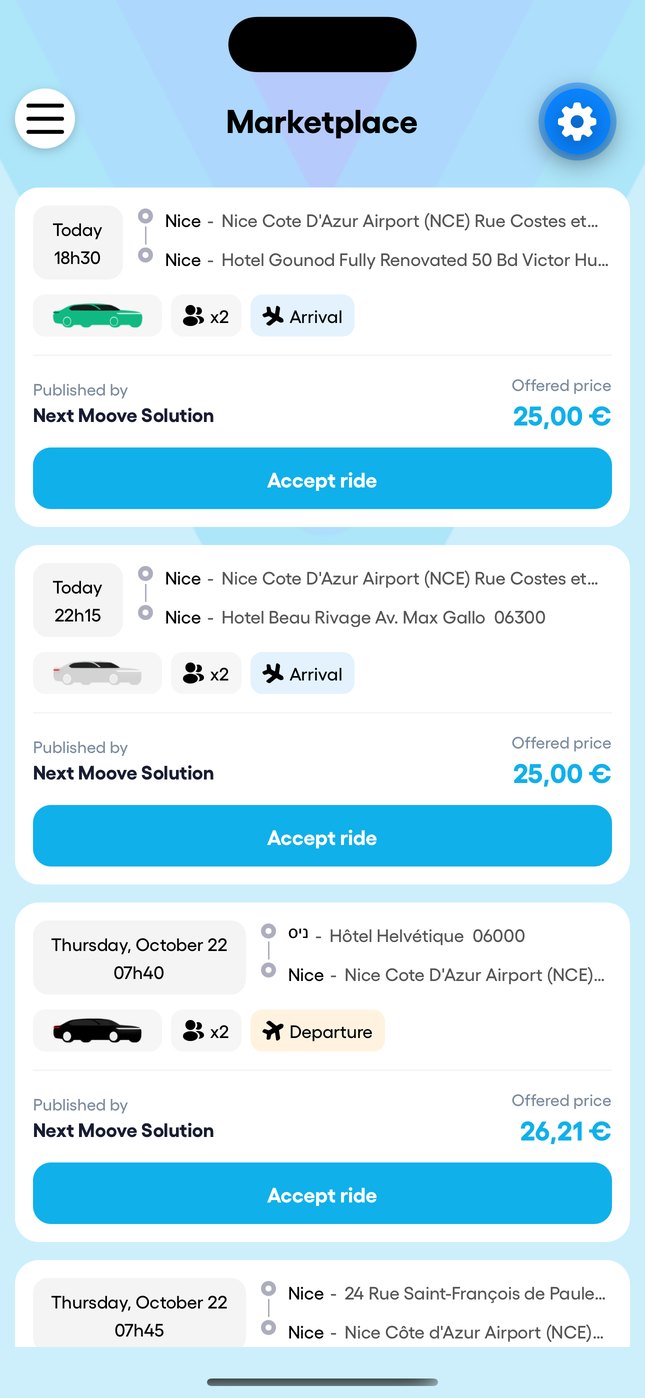
Your subcontractors see the ride in the "Marketplace" menu, in the CRM and in the app, with your name and the offered price. They just tap "Accept".
4. When a subcontractor accepts
The ride is assigned to them straight away, moves to accepted and disappears from the marketplace for everyone else. Droovi tells you in the app and by email that it has been taken and by whom (you can turn the email off in My profile, Notification preferences). If the subcontractor has a single driver, the ride goes straight to that driver.
As long as nobody has accepted it, you can change the price ("Update publication") or take the ride down ("Unpublish Marketplace"). A ride sent by driver link cannot be on the marketplace at the same time.