
The chauffeur driver app that fits in your pocket.
Receive your rides, navigate to the customer, confirm every step with a slide — while dispatch follows along in real time. A driver app built for chauffeurs and their fleet, free to download.
Create a free account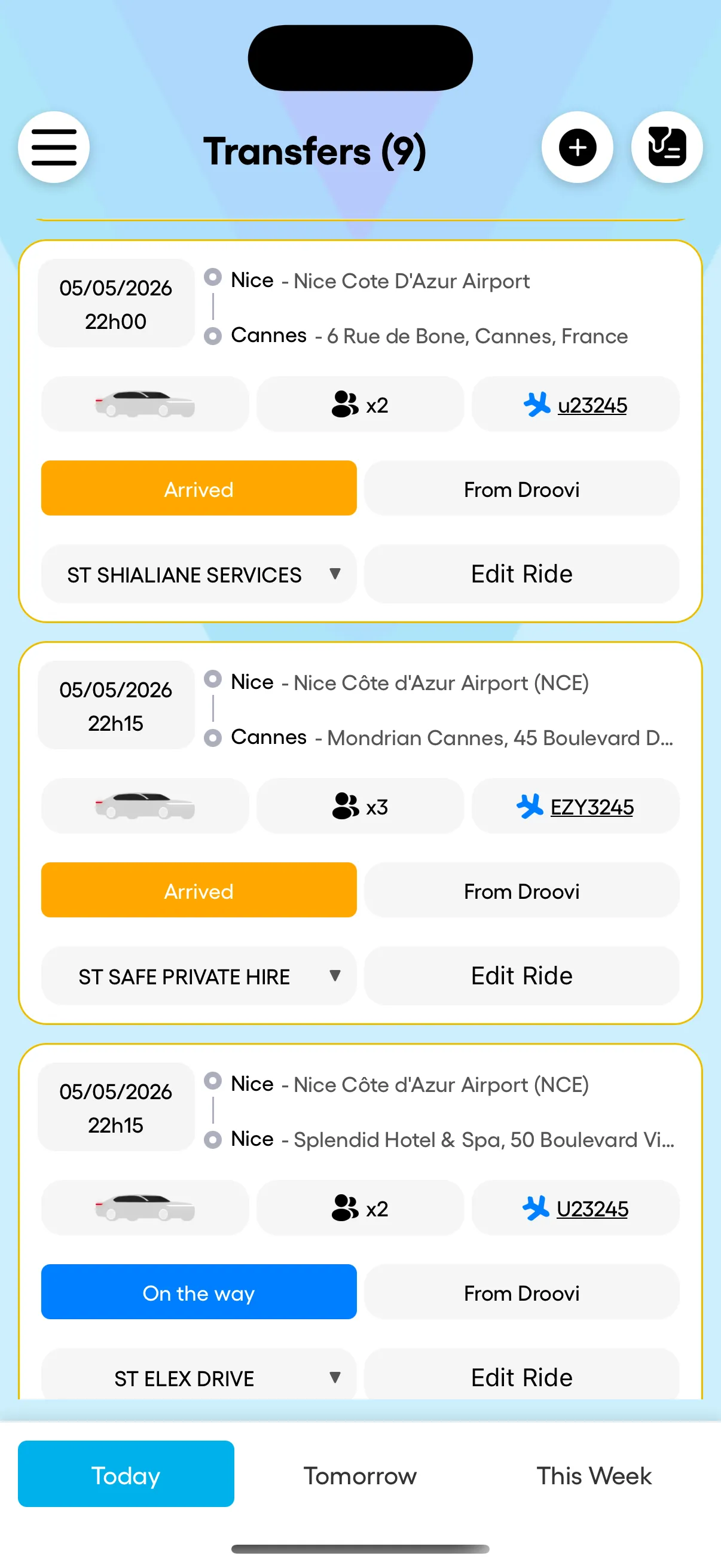
A chauffeur's day isn't managed from a desk.
Rides land while you drive. A flight arrives early. Dispatch calls to ask where you are. A driver app should absorb these moments — not create new ones.
Receive a ride, navigate, complete — all in the app.
No marketplace clutter, no commission, no noise. The driver app only shows your assigned rides — with everything you need to drive, and nothing you don’t.
Receive your rides in real time
New assigned ride = push notification. Today’s rides on top, sorted by pickup time. Customer info, flight number, vehicle, special notes — all visible in one tap.
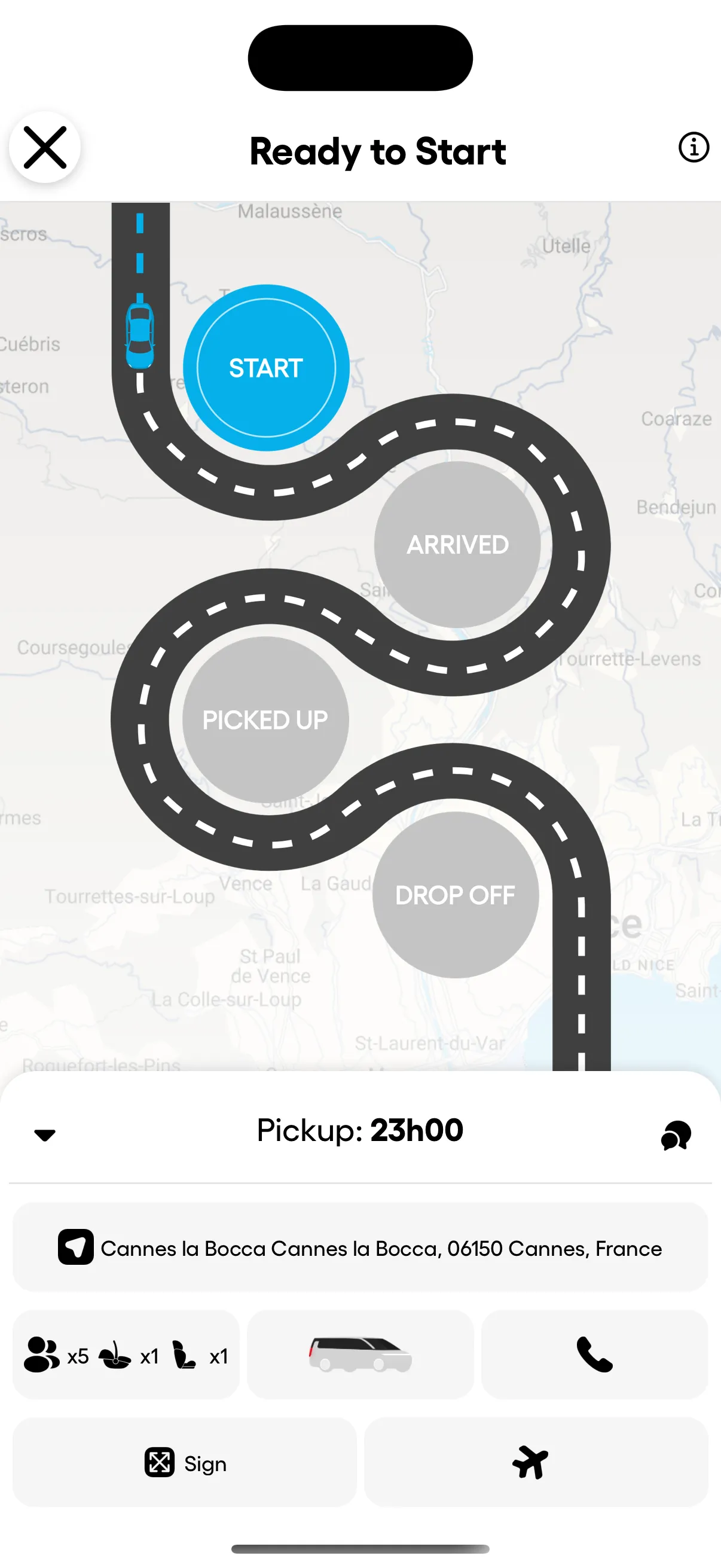
Pickup → drop-off, guided by slide
Slide to start. Slide to confirm pickup. Slide to finish. Every step pushes a live status to dispatch and to the customer — nobody calls to ask where you are.
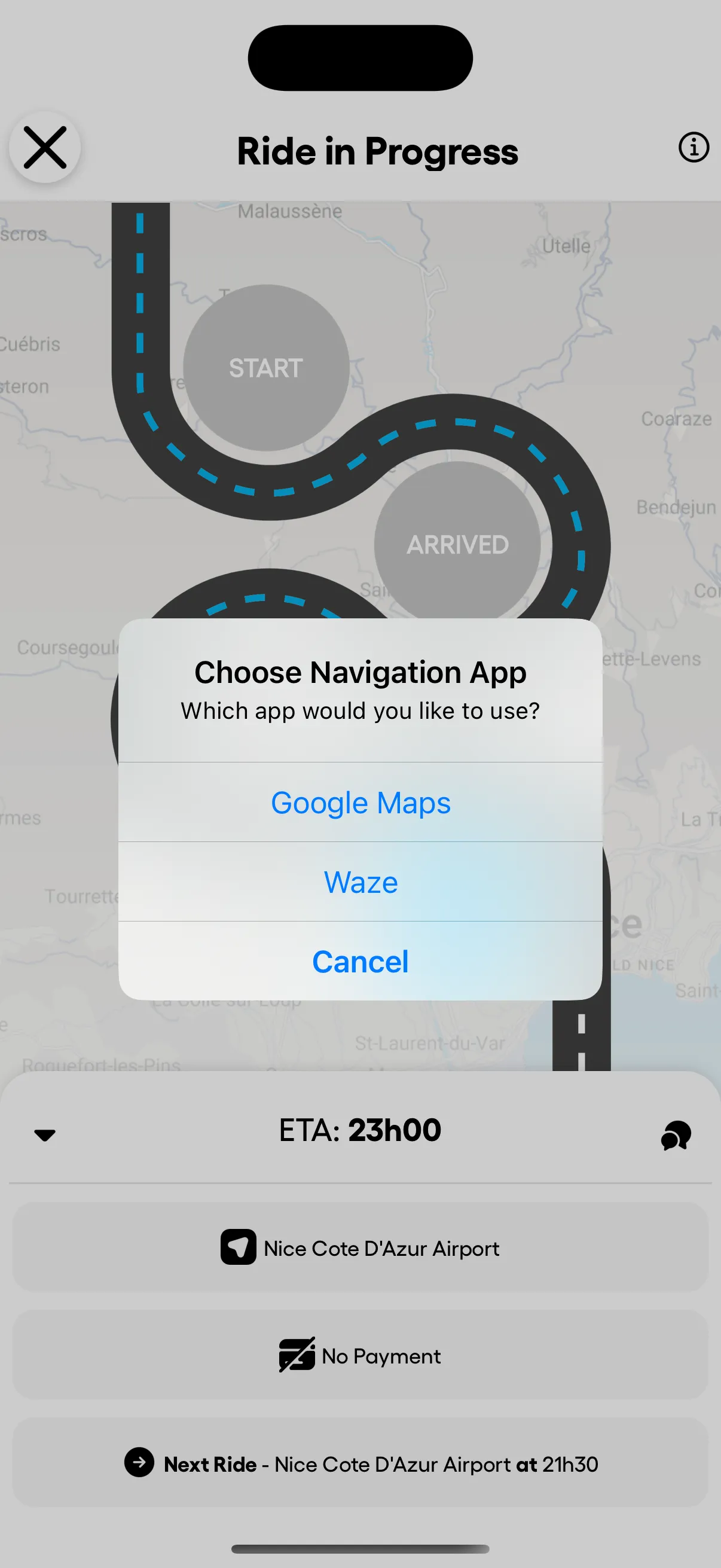
GPS: Google Maps or Waze, your pick
When the ride starts, choose your favourite navigation app. Droovi opens the route directly. No address copy-paste, no fiddling.
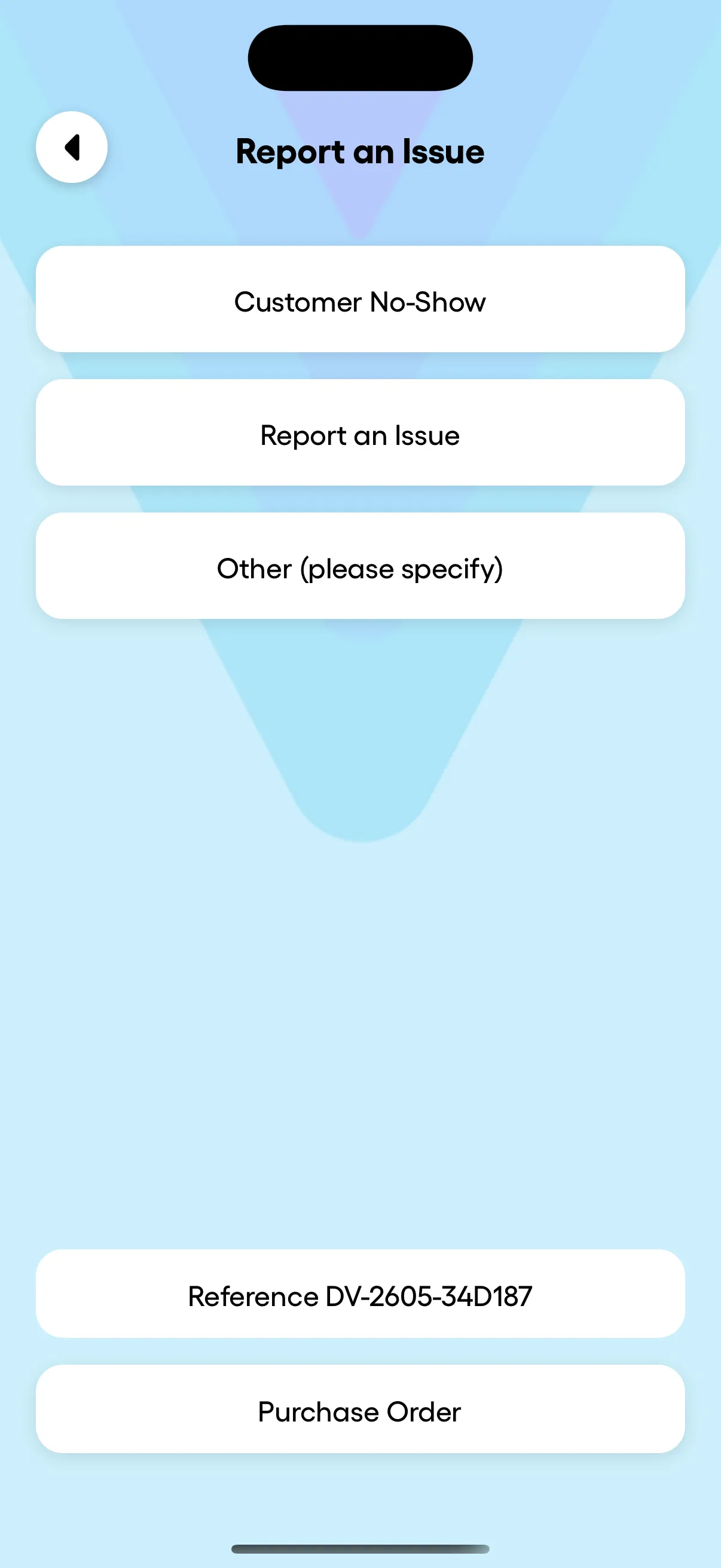
Report an issue in 2 taps
Customer no-show, problem on the road — report it from the ride screen. Dispatch sees it instantly, no phone call needed. The reference number is on screen too, ready to share.
From assignment to completion, guided.
A signature road-map UI walks the driver through every step — and pushes a live status to dispatch and to the customer at each transition.
Driver previews the ride: pickup time, address, customer, vehicle, special needs (sign, child seat, flight number).
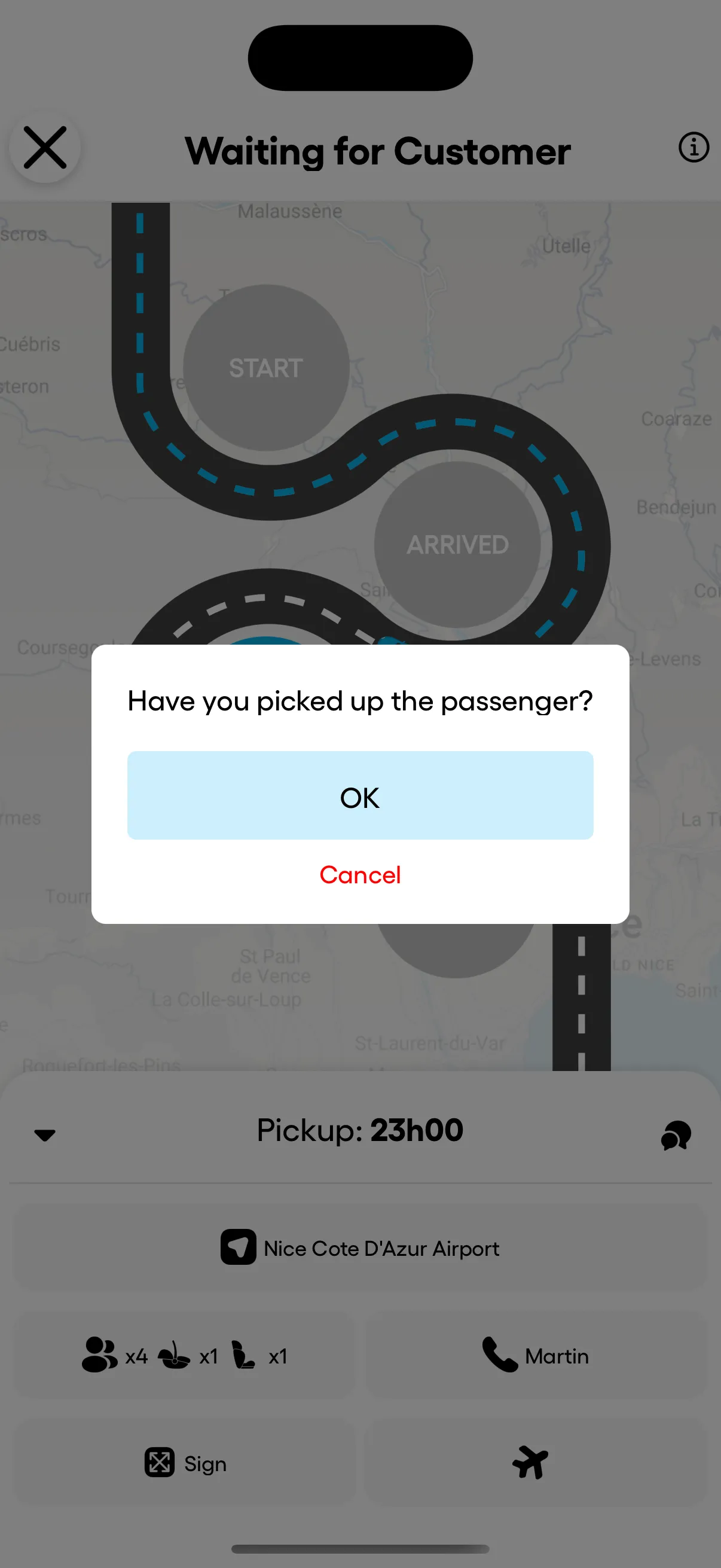
Driver arrives and confirms the pickup with one tap. Dispatch and customer get the status update live.
Open the route in Google Maps or Waze. ETA visible to dispatch and on the customer tracking link.
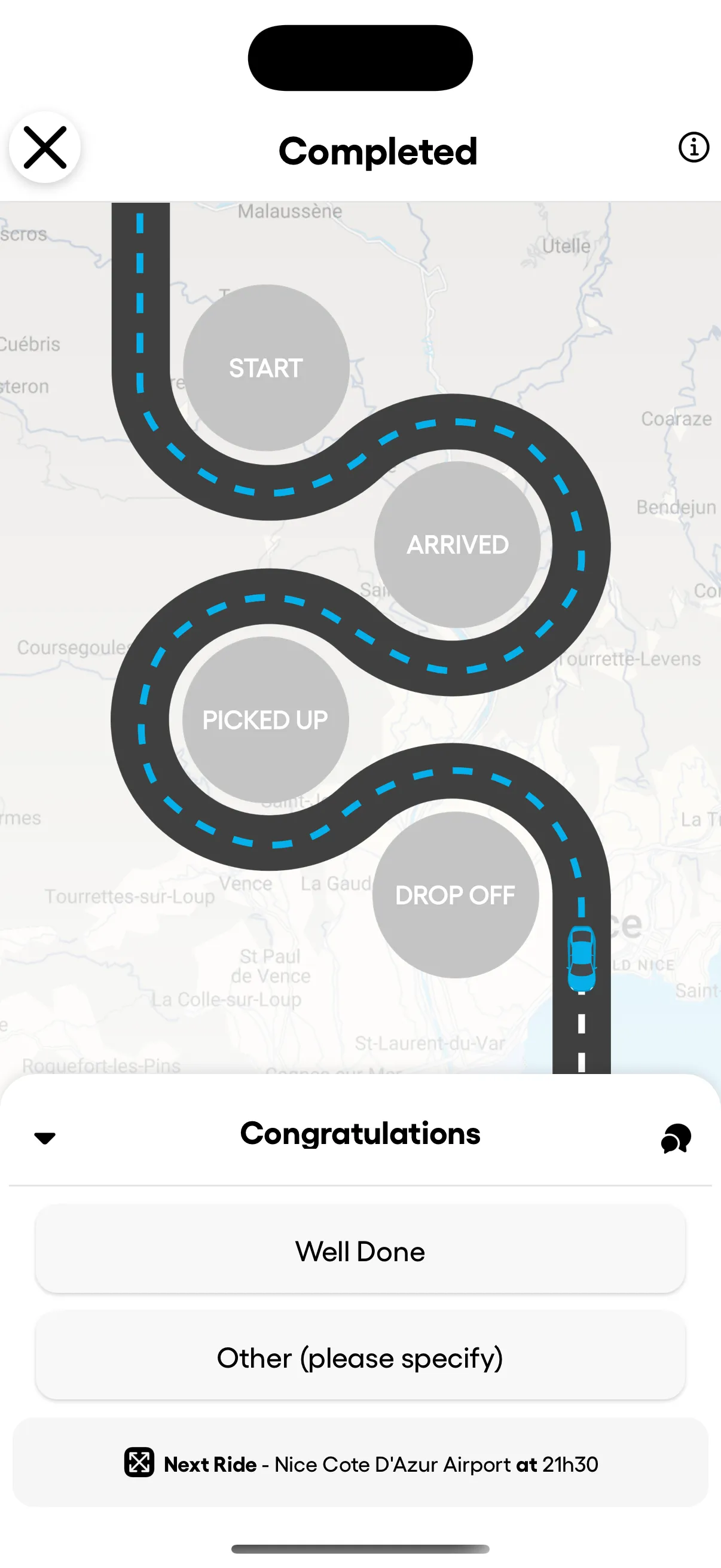
Mark the ride done. The next ride preview is already loaded — operational continuity, no idle time.
Manager or driver — the app picks the right view.
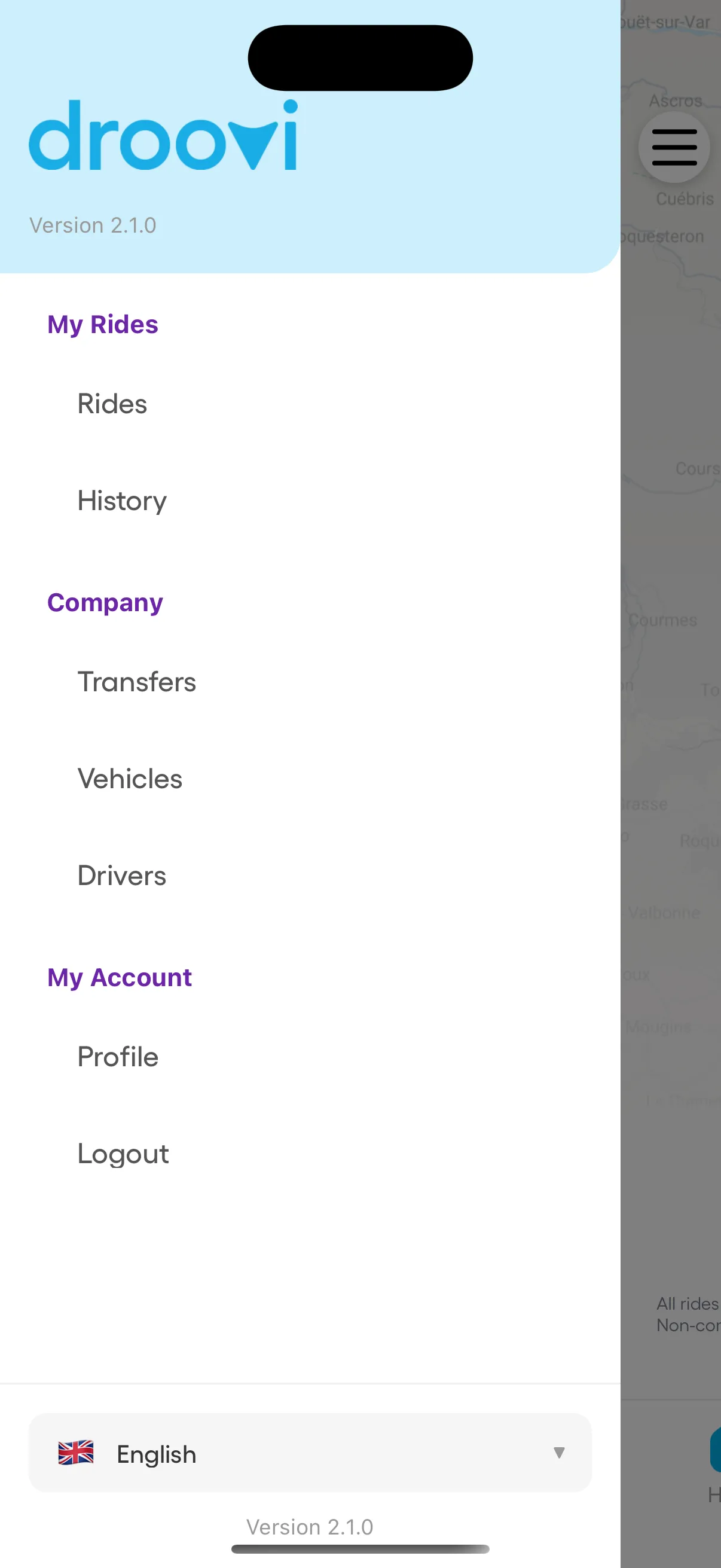
Same login, two distinct experiences. The drawer adapts: managers get the Company tools (Transfers, Vehicles, Drivers), drivers see only My Rides. The role is read from your Droovi account, no toggle required.
- Transfers
- Vehicles
- Drivers
- Rides
- History
Run your operation from anywhere.
Everything you do on the Droovi web dashboard, you can do from your phone — with the same real-time sync.
See every ride at a glance
Today, tomorrow, this week — your entire pipeline on one screen. Status pills (assigned, on the way, arrived) tell you at a glance which rides need attention.
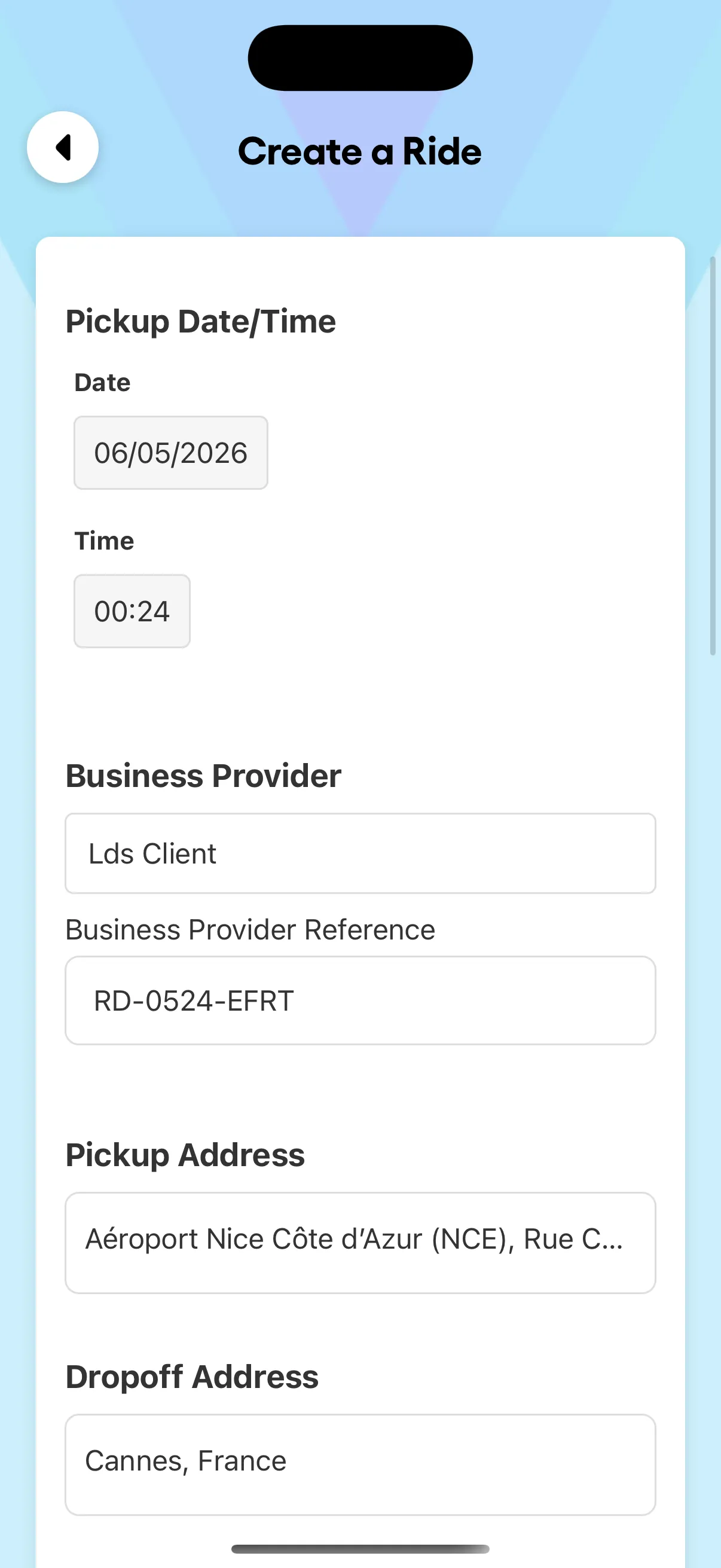
Create a ride in 30 seconds
Pickup date and time, business provider and reference, pickup and drop-off addresses. The form remembers your places and pre-fills the rest.
Onboard a driver from anywhere
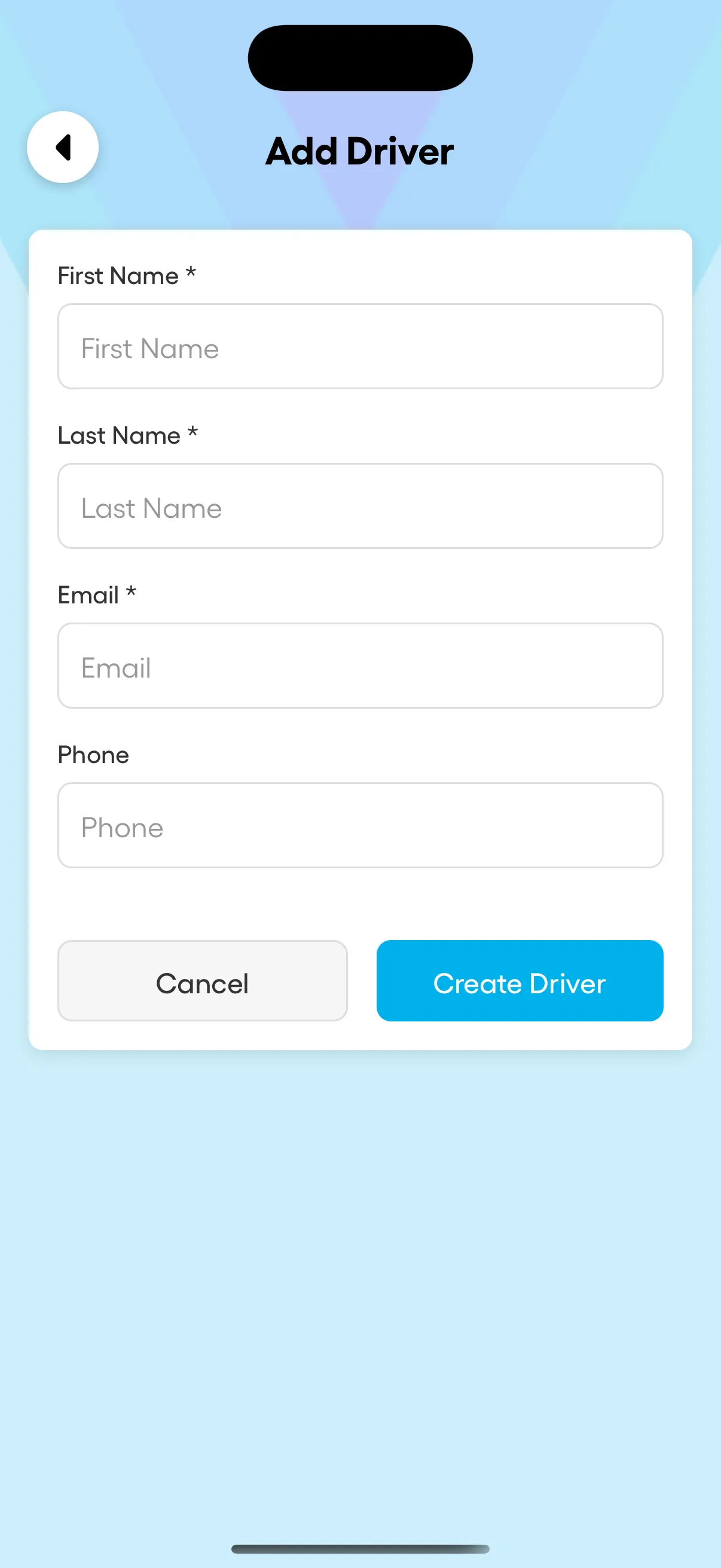
New driver from your phone — first name, last name, email, phone. Activated in your fleet within minutes, ready to receive their first ride.
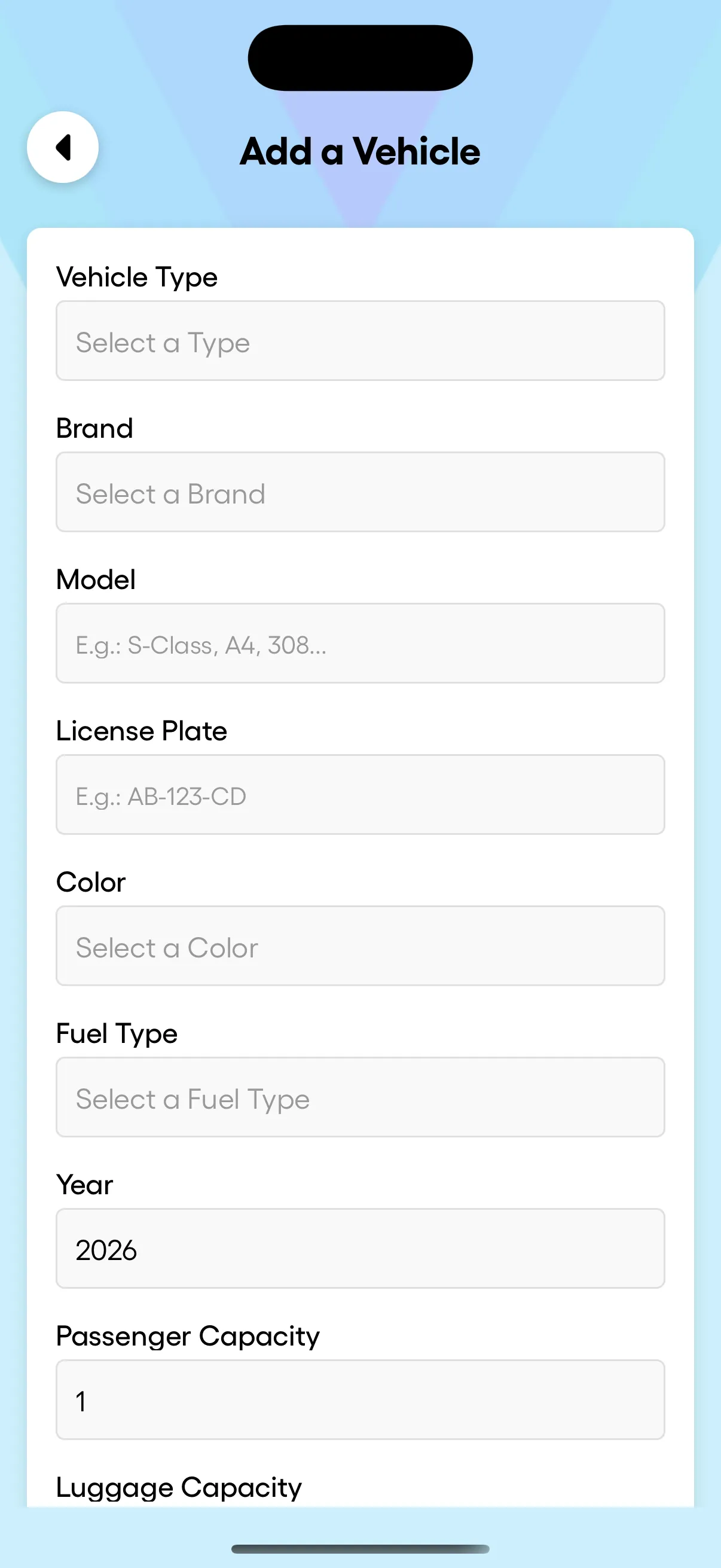
Add a vehicle, in detail
Type, brand, model, license plate, color, fuel, year, passenger and luggage capacity. Every vehicle of your fleet documented and ready to be assigned.
Everything a complete driver app should include.
Push notifications
Configurable alerts for new rides, status changes, late drivers and incoming chats — never miss what matters.
Flight tracking
Pickup time auto-adjusts when a flight is delayed or early. Your drivers never wait for nothing.
Multi-language
App available in 6 languages. Drivers operate in their own language without a switch.
Offline-friendly
Lost signal in a parking garage? The app keeps the latest data and syncs as soon as you reconnect.
Photo proof of pickup
Driver can attach a photo at pickup or drop-off — useful for luggage, boarding cards, signed receipts.
Daily history
Yesterday, last week, last month — every completed ride at your fingertips. Filter, search, export.
The app in the field
Weekend dispatch handled entirely from the manager app — rides assigned and tracked without opening the laptop.
Ride accepted in two taps, navigation launched straight from the ride card — dispatch sees every status change in real time.
Frequently asked questions about the driver app
Is the Droovi driver app free?
Yes. Droovi Driver is free to download on iOS and Android, and included in your fleet’s Droovi subscription. No per-driver fee, no in-app purchase.
Does Droovi take a commission on my rides?
No. Droovi is not a marketplace like Uber or Bolt: the app is used to receive and execute the rides of your own fleet or your partners. 0% commission on rides.
How is this different from an app like Uber?
Uber brings you rides and takes a commission. Droovi Driver is your fleet’s work tool: your rides, your customers, your prices. The app connects the driver to their company’s dispatch, in real time.
Does the driver app work without a connection?
Yes, partially. The app keeps the latest loaded data (rides, addresses, contacts) and re-syncs as soon as the connection returns — useful in underground airport car parks.
How does dispatch track my rides?
Every slide (start, pickup, drop-off) pushes a real-time status to the Droovi dashboard. Dispatch and the customer see the progress without calling you.
Included with every Droovi plan.
Droovi Driver is free to download and use for any team with an active Droovi subscription. No per-seat fee, no in-app purchase, no surprise extras.
See plansReady to run your fleet from your pocket?
Free download. Sign in with your Droovi credentials — or create a new account from the app, set up in 5 minutes.