
Invite your drivers
Each member of your team has their own account: your drivers in the Droovi Driver app, your managers and dispatchers in the CRM. You create them yourself and they receive their login details on WhatsApp.
Open the drivers page: Settings menu, then "Users".
1. From the CRM
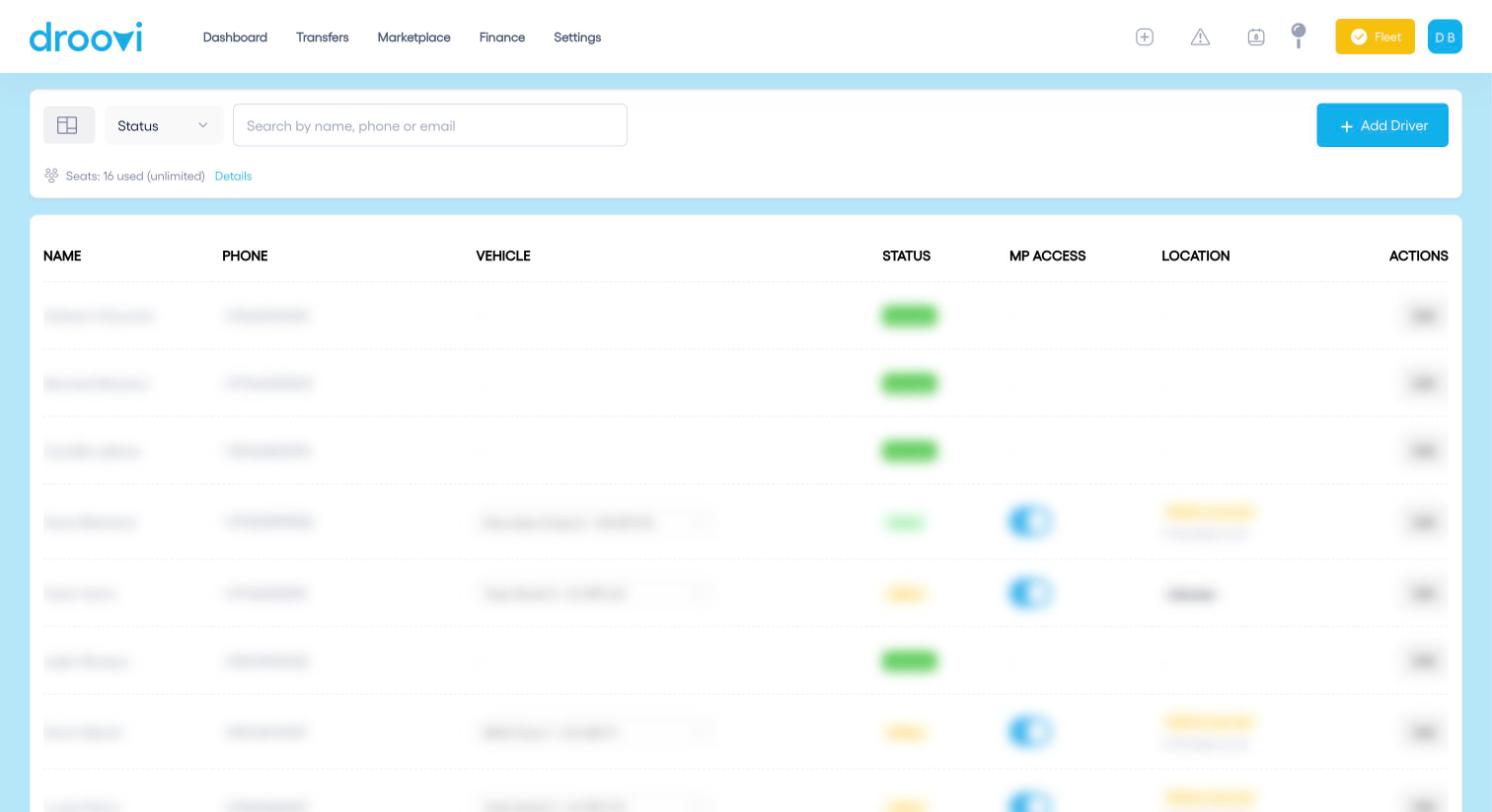
- Click "Add Driver".
- Enter the first name, last name and phone number (required). Email is optional.
- Choose one or more roles (see below).
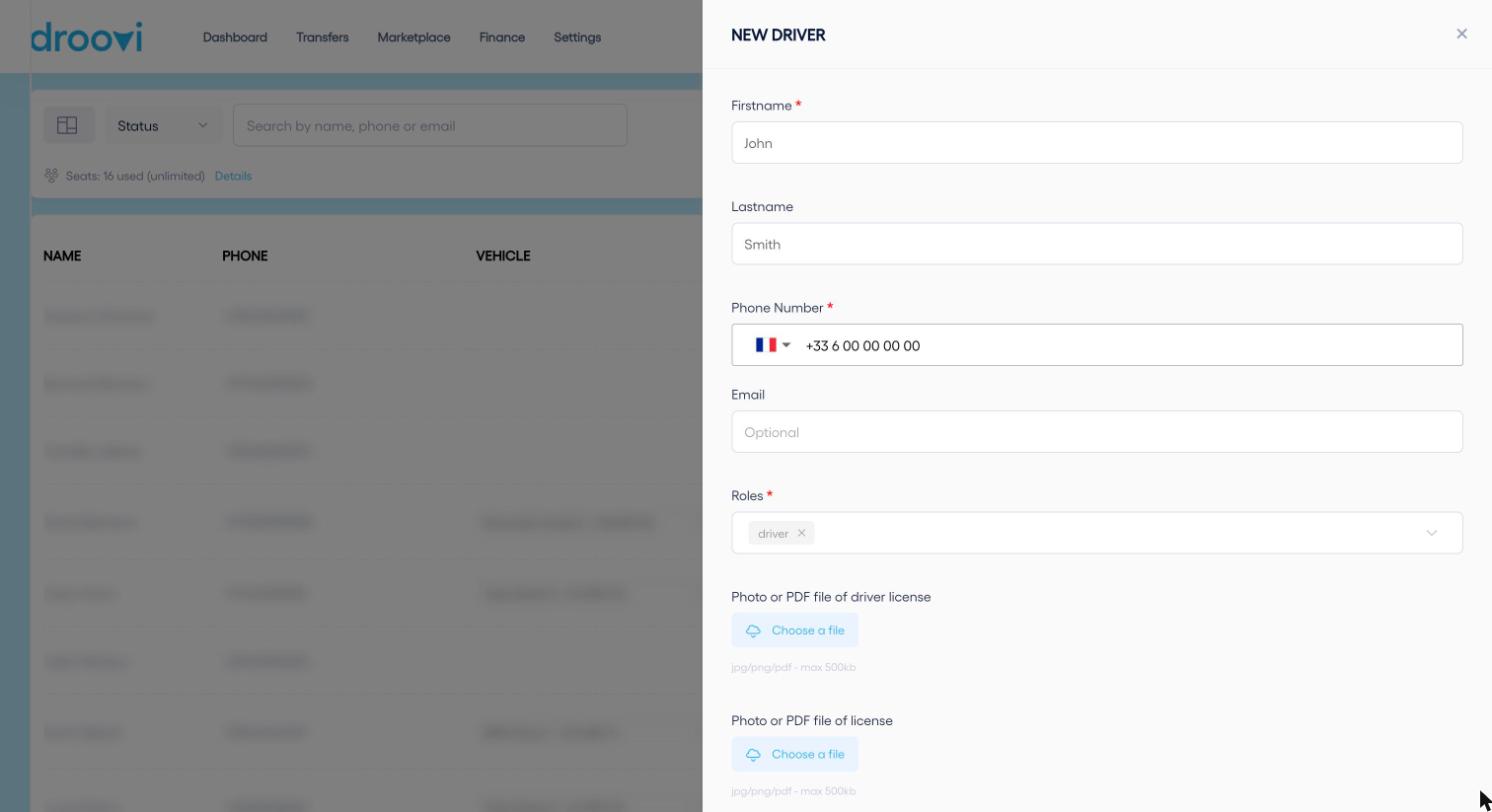
- For a driver, you can add a photo or PDF of the driving licence and of the professional licence (500 KB max).
- Click "Register".
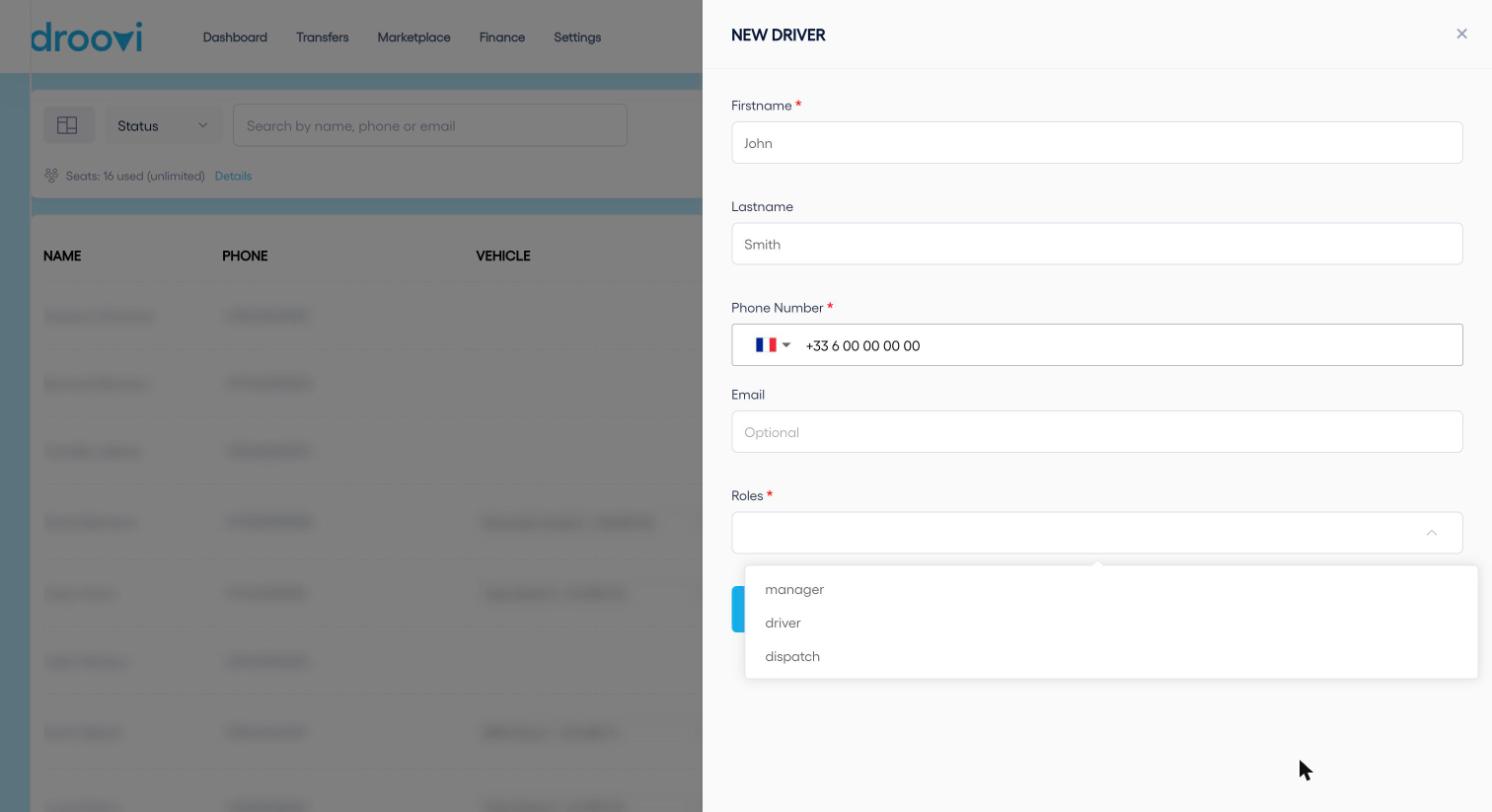
- driver: a driver. Uses the Droovi Driver mobile app to receive and run rides.
- manager: someone in charge of your company. Full CRM access (rides, pricing, invoices) and the app.
- dispatch: an operator who manages and assigns rides, without access to company settings.
2. What the person receives
- A WhatsApp message on the number entered, with your company name.
- Their login: their phone number.
- A temporary 6-digit password.
- The link to download the Droovi Driver app and the link to the web dashboard.
On first login, the person must change their password. Double-check the number: it is the one that receives the login details.
3. From the mobile app
- Open the menu, then "Drivers".
- Tap the + button in the top right corner.
- Enter the first name, last name and email (required) and the phone number.
- Tap "Create Driver".
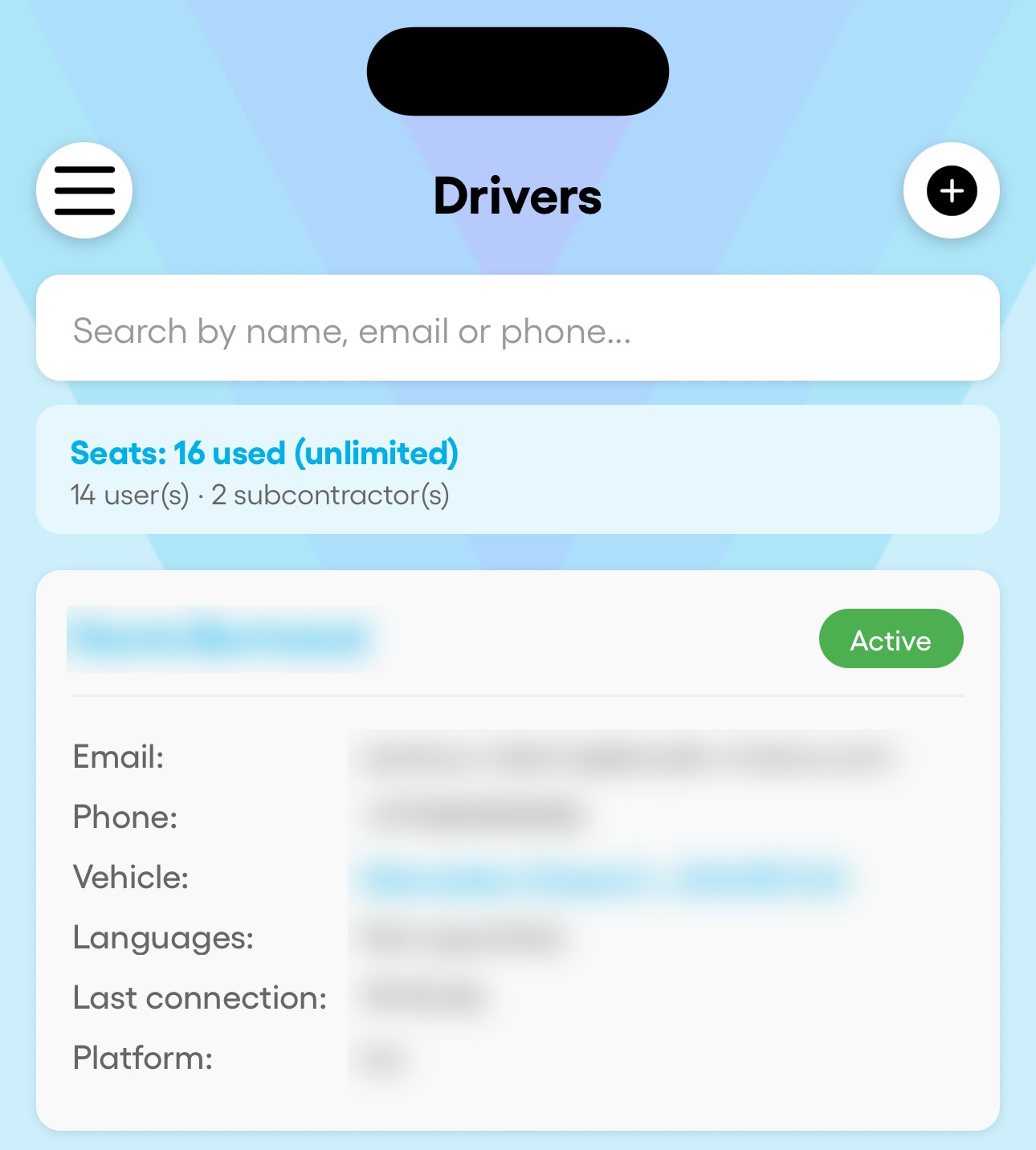
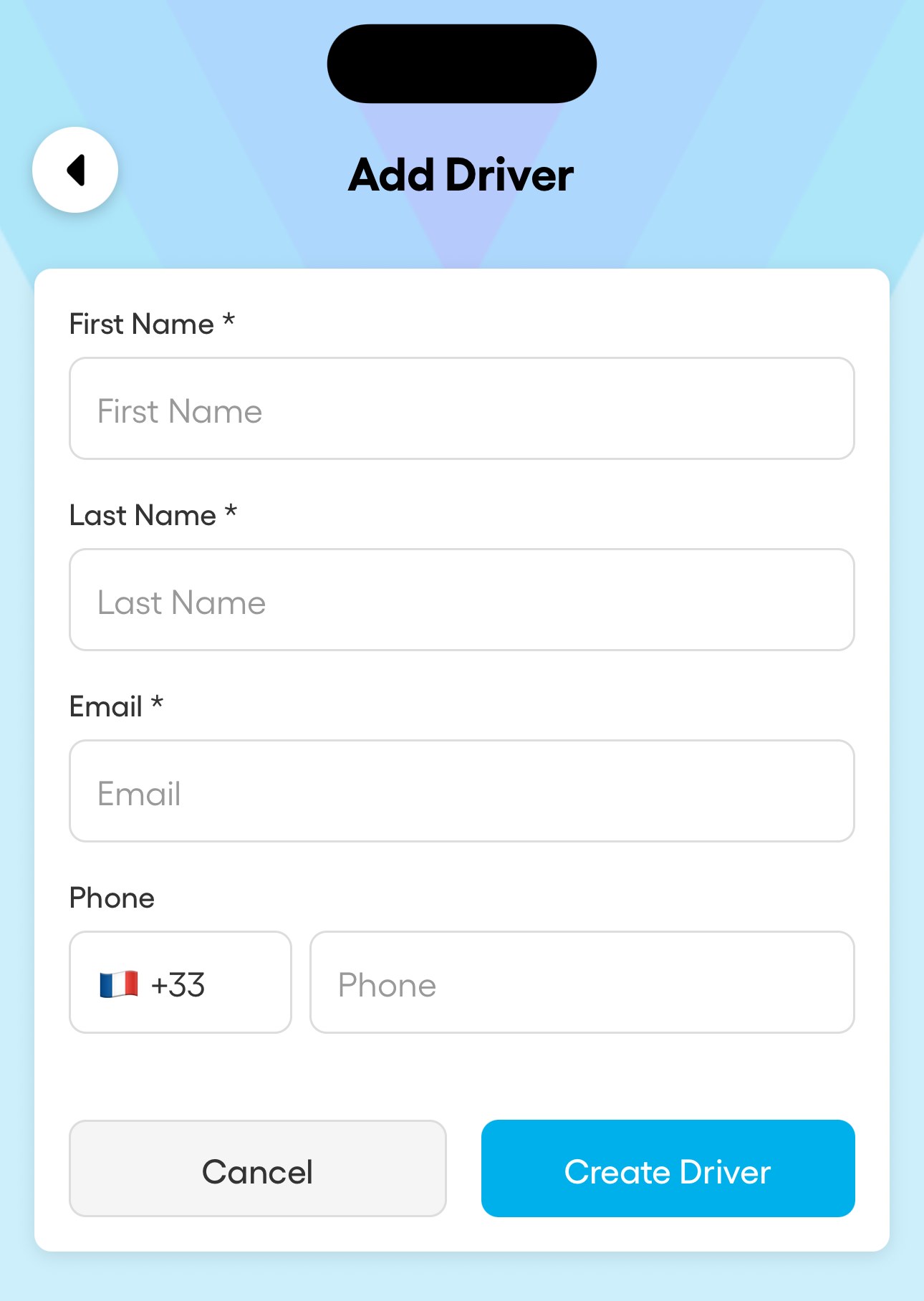
From the mobile app, the account is always created with the driver role. For a manager or dispatcher, use the CRM. Fill in the phone number: without it, no WhatsApp with the login details.
4. How many users can you have?
Every account in your company counts as a user: managers, dispatchers and drivers. Active subcontractors count too, except those with their own paid Droovi subscription. The "Seats" counter at the top of the drivers page shows where you stand.
| Plan | Users included | Price |
|---|---|---|
| Free | 1 | Free |
| Flex | 5 | €19.90 excl. VAT / month |
| Pro | Up to 20 | €99.90 excl. VAT / month |
| Fleet | Up to 50 | €199.90 excl. VAT / month |
Beyond the users included, Droovi offers to add a seat: €9.90 excl. VAT per user per month, billed on the next cycle. On Free, you need to upgrade to a paid plan. During the 14-day trial you get the full Fleet plan. More than 50 users: on quote.
Was this article helpful?