

Google reviews for a chauffeur company: get one after every ride
Google reviews for chauffeur and transfer companies: when to ask, the review link and QR code, three ready-to-send messages, and what Google bans.
A chauffeur company gets Google reviews by asking at drop-off, while the passenger still has their phone in hand. You need a direct link to your Business Profile, sent by WhatsApp in the traveller's language, backed up by a QR code inside the car. The next day is too late. The passenger won't come back, and the agency that booked the ride usually holds their email address.
Key takeaway. Google reviews for a chauffeur or transfer company are won in the minute after drop-off. A direct link, a short message in the passenger's language, a request after every ride and no filtering: that is the method. Discounts for reviews, review quotas for drivers and fake reviews are all banned.
Why happy passengers don't leave Google reviews
A chauffeured passenger is the hardest customer to get a review from. A restaurant sees its regulars again, a plumber calls the client back about the invoice. A traveller dropped at the airport or at a city hotel simply disappears. They will never walk past your counter. You don't have one.
The passenger often doesn't know who drove them. A ride booked by a travel agency, a hotel or a transfer platform reaches them under the booker's name. They saw a black sedan and a courteous driver. They don't know your company name or where to find your Google listing. A delighted passenger who can't find you won't review you.
Contact also goes through a third party. The traveller's email stays with the agency or the hotel, and you often only have the phone number passed on for the pickup. Generic guides on Google reviews tend to recommend a follow-up email after purchase. For B2B transfers, you don't have that email.
When should you ask a passenger for a Google review?
The right moment to ask a chauffeured passenger for a Google review is drop-off. Not that evening, not the next day. The ride has just ended, the service is fresh, and the traveller is holding their phone to check messages or call the hotel. An hour later they are on a plane, in a meeting or by the pool. Your ride is already a distant memory.
The most effective request combines two gestures. The driver says it out loud while taking the suitcase out of the boot ("If you enjoyed the ride, I'll send you the link to leave us a review"). Then the link lands on the phone before the passenger reaches the door. Asking out loud on its own achieves nothing. The passenger would have to search for your company on Google Maps. They won't.
One ground rule comes from Google: ask after every ride. You cannot keep the request for passengers who look pleased. That kind of filtering is banned (see below). It also skews your rating. A systematic request, with no exceptions, protects your listing.
Link, QR code, message: the three channels that work for chauffeur companies
Three tools are enough for a chauffeur fleet to get Google reviews steadily. They are free. Allow a morning to set them up.
Get the Google review link for your Business Profile
A Google review link is a short web address that opens the rating window of your Business Profile directly. The passenger has nothing to search for. Google says so in its help centre: to leave a review, you can ask customers to click a Google link or scan a QR code.
To get it, open your Business Profile from a computer. Select "Read reviews", then the share icon next to "Get more reviews", and select "Copy". The steps are on Google's help page Create a link or QR code to ask for reviews.
The QR code on the back of the headrest
The Google review QR code is downloaded from the same window. Google states that it can currently only be generated from a computer browser, not from a phone. Printed on a card and slipped into a holder on the back of the front headrest, it stays in front of the passenger for the whole ride.
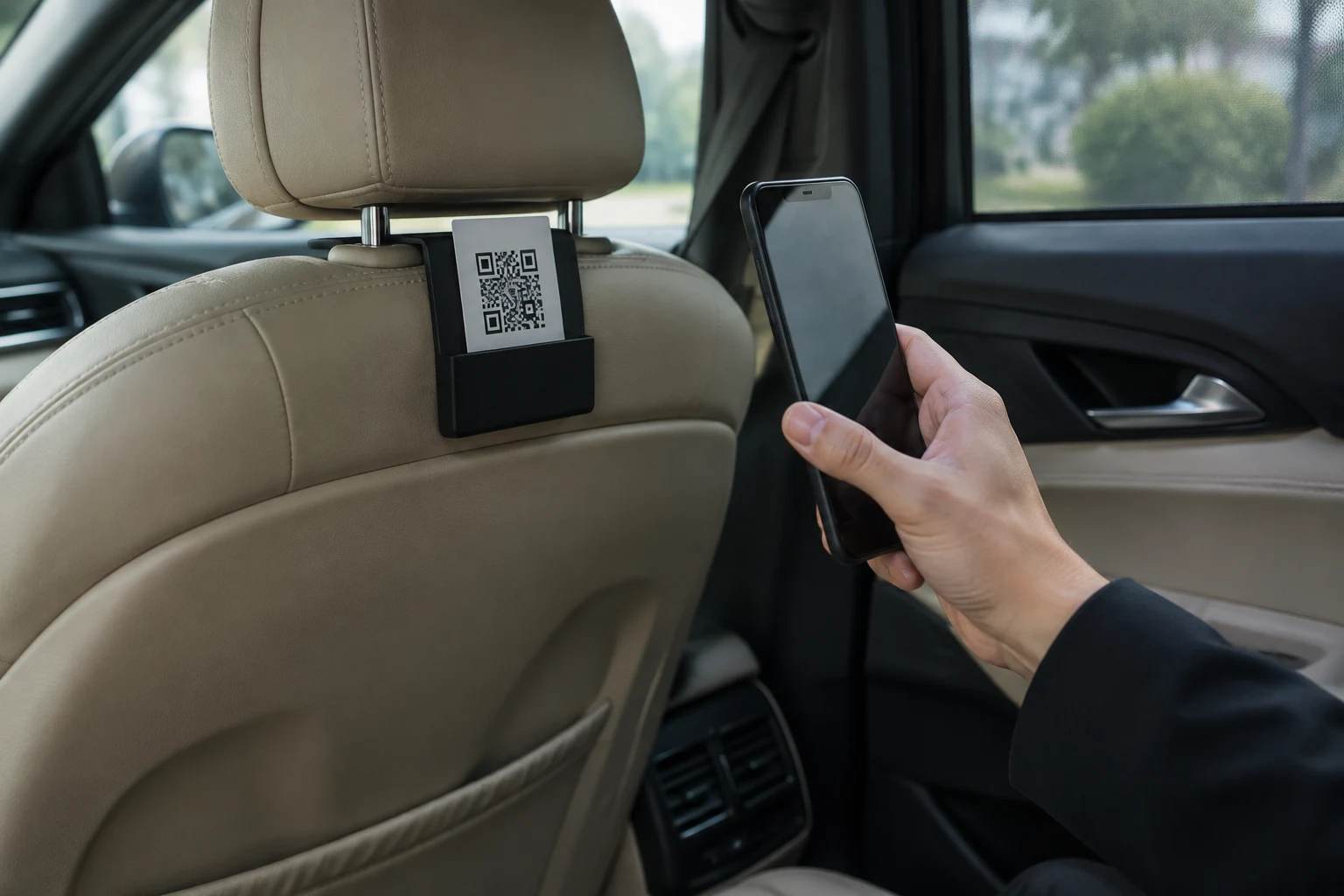
The QR code adds to the link sent by message. It reaches the passenger who never shared a phone number. It also reaches the one who likes to review straight away, stuck in traffic on the way into town. Add a short line on the card, in at least two languages, to say what the code is for.
The WhatsApp message at drop-off
For an airport transfer clientele, WhatsApp is the safest channel. It works over wifi, with no dependence on the traveller's roaming plan. The message should come from your company number, not from the driver's personal phone. The passenger may already have received the pickup details from it.
| Channel | When | Who it reaches | Limit |
|---|---|---|---|
| Driver asks out loud | At drop-off | Every passenger | Without a link, the passenger has to search for your listing |
| QR code in the vehicle | During the ride | Passengers with no known number | The passenger has to remember to scan it |
| WhatsApp message with link | Within a minute of drop-off | Passengers whose number you have | Requires the number and a company WhatsApp |
| Email the next day | Next day | Direct customers only | In B2B, the email stays with the booker |
The passenger must be signed in to a Google account to post a review: that is Google's rule. A traveller without a Google account cannot review you, which is why it pays to keep a Trustpilot or Tripadvisor link in reserve.
Message to ask for a Google review: three templates to copy
A good Google review request fits in four lines. It names the passenger, names your company (which they may not know), asks for one specific action and gives the link. No promises, no "5 stars", no gifts.
English
Hello [first name], thank you for travelling with [company]! Your review really helps us: could you take 30 seconds to share it? [link] Thank you and see you soon!
French
Bonjour [prénom], merci d'avoir voyagé avec [société] ! Votre avis nous aide beaucoup : pouvez-vous prendre 30 secondes pour le partager ? [lien] Merci et à bientôt !
Spanish
Hola [nombre], ¡gracias por viajar con [empresa]! Su opinión nos ayuda mucho: ¿podría dedicarnos 30 segundos para compartirla? [enlace] ¡Gracias y hasta pronto!
Send the message in the traveller's language. A German passenger who receives a text in English may follow it. A Japanese passenger who receives one in French will not. If most of your bookers are foreign agencies, English as the default covers most cases.
Replying to reviews, especially the bad ones
A reply to a Google review is read by every future customer, not just its author. Google recommends replying to show customers that their feedback matters. A chauffeur listing where every review gets two lines from the owner inspires more trust than a bare rating.
The typical negative review for a chauffeur company is about a delay, a driver who couldn't be found at arrivals or a disputed price. Reply with facts: "Your flight landed at 2:10 pm and our driver was waiting at the meeting point from 2:25 pm." Google asks you never to share the reviewer's private information and never to attack them personally. No surname, no booking reference, no score-settling. And no promo code in the reply: Google says there is no need to offer one.
What a chauffeur company is not allowed to do
Several common practices among chauffeur and transfer operators break Google's policy. They expose your listing to review removal, and sometimes your business to legal action.
Offering a discount or service in exchange for a review
Offering an incentive in exchange for a review is "strictly prohibited" according to Google's help centre: free or discounted products or services. For a chauffeur company, that covers "10% off your next transfer if you review us" or a free bottle of water in exchange for a review. Offering an incentive to change or remove a negative review is also banned.
Filtering passengers or setting review quotas for drivers
Google's user-generated content policy bans selectively soliciting positive reviews and discouraging negative ones. It also bans asking staff to solicit a set number of reviews. A bonus for the driver who brings in ten reviews a month therefore breaks the rule. Set a target for requests sent instead: one per ride.
Reviews written by your drivers, your partners or a former employee count as a conflict of interest for Google. They are treated as rating manipulation, even if the driver really did the ride.
Buying Google reviews
Buying Google reviews, or having fake reviews posted, has been banned outright across the European Union since 28 May 2022. The Omnibus Directive (EU) 2019/2161 added it to the list of commercial practices that are unfair in all circumstances. Penalties are set by each country. In France, a misleading commercial practice carries up to two years in prison and a €300,000 fine. A twenty-car fleet would be risking its listing, and its name, for a few stars.
How Droovi asks for a review at the end of every ride
Droovi builds the review request into the end of the ride, in the driver app and in the back office. You set it up once. After that, every completed ride can trigger the request in one tap.
One-time setup
In Settings › Notifications, the manager switches on the review request and adds the review link: Google, Trustpilot, Tripadvisor or another platform. Several links can be saved in order of priority. The passenger receives a single link, the first active one on the list. They don't have to choose.
The WhatsApp message comes by default in English, French, Spanish and Turkish. The Pro and Fleet plans let you customise it. It automatically fills in the passenger's name, your company name and the link. It goes out in the communication language set for the booking client (English by default), from your company WhatsApp, never from a Droovi number.
At drop-off, one tap for the driver
On arrival, the driver taps "Request a review" in the chauffeur driver app. The ride is marked as completed and the message goes out in the same action, while the passenger collects their suitcase. From the back office, a manager or dispatcher can also send the request on a completed ride if it wasn't sent at drop-off.
Only one request goes out per ride. A double tap from the driver does not send two messages. Shuttles are excluded. Droovi does not send reminders and does not count the reviews actually posted: you track those on your Google listing.
On subcontracted rides
When a ride is handed to a partner company, the review always goes to the company that owns the ride: its link, its message, its WhatsApp. The subcontractor can only trigger the request if the owner allows it. That right is set subcontractor by subcontractor in ride subcontracting. Your partner drives. Your listing collects the review.
The review request runs through the company WhatsApp, which is included in paid plans (Flex at €29.90 excl. VAT per month, Pro at €99.90, Fleet at €199.90). The 14-day free trial, with no credit card, includes it. The other modules are listed on the Droovi chauffeur software features page. Your Google listing should also bring you direct bookings, and that depends on your chauffeur website.
Bookings, dispatch, drivers and invoices in one place. 250+ transport companies already use Droovi.
14-day trial · No credit card